How to budget as a couple without a joint account
You don’t have to merge bank accounts to run one household budget. You need three agreements: what counts as shared, how you split it, and when you look at the numbers together. Here is a way to set that up in one evening.
Free forever for two · No card · 14 days of Plus included
Step 1. Agree on what is shared
Write down what the two of you pay for together: rent or mortgage, utilities, groceries, the car, the kids, holidays. Everything else stays personal. The line can move later, but you need one to start, and it is much easier to draw before the first argument than after it.
Step 2. Choose how you split
- Equal: each pays half of the shared costs. Simple, and fair when your incomes are close.
- Proportional: each pays the same share of their income, so whoever earns more pays more.
- Pooled: each puts an agreed amount into a shared pot every month, and the shared costs come out of it.
Example: a proportional split
Anna earns $3,400 a month and Max $2,800: together $6,200, so Anna brings about 55% and Max about 45%. Their shared costs are planned at $3,000 a month.
Split proportionally, Anna covers about $1,650 and Max about $1,350. Max pays the $1,400 rent, Anna most of the groceries and bills; at the end of the month they compare what each actually paid with those targets and settle the difference. A few minutes once a month instead of an argument every week.
Step 3. Set budgets for the shared categories
Put a monthly budget on the categories you share: groceries, eating out, transport, home, kids. You don’t need all of them on day one; three or four you actually watch are enough. Keep personal spending out of the shared budget, or mark it private so it does not crowd the family view.
Step 4–6. Track together, check in, adjust
The plan only works if both of you see the same numbers. Each of you adds what you spend, from your own phone, right after paying; it takes a few seconds and saves the end-of-month detective work.
A spreadsheet can do this too: our free family budget template uses the same columns as Fam108’s export. An app is easier when two people enter expenses at the same time from different phones and want to see what is left in a category before paying.
Once a month, sit down for fifteen minutes: what went over, what was left, whether the split still feels fair. Change one thing at a time, and keep a little money each that nobody has to explain.
Doing this in Fam108
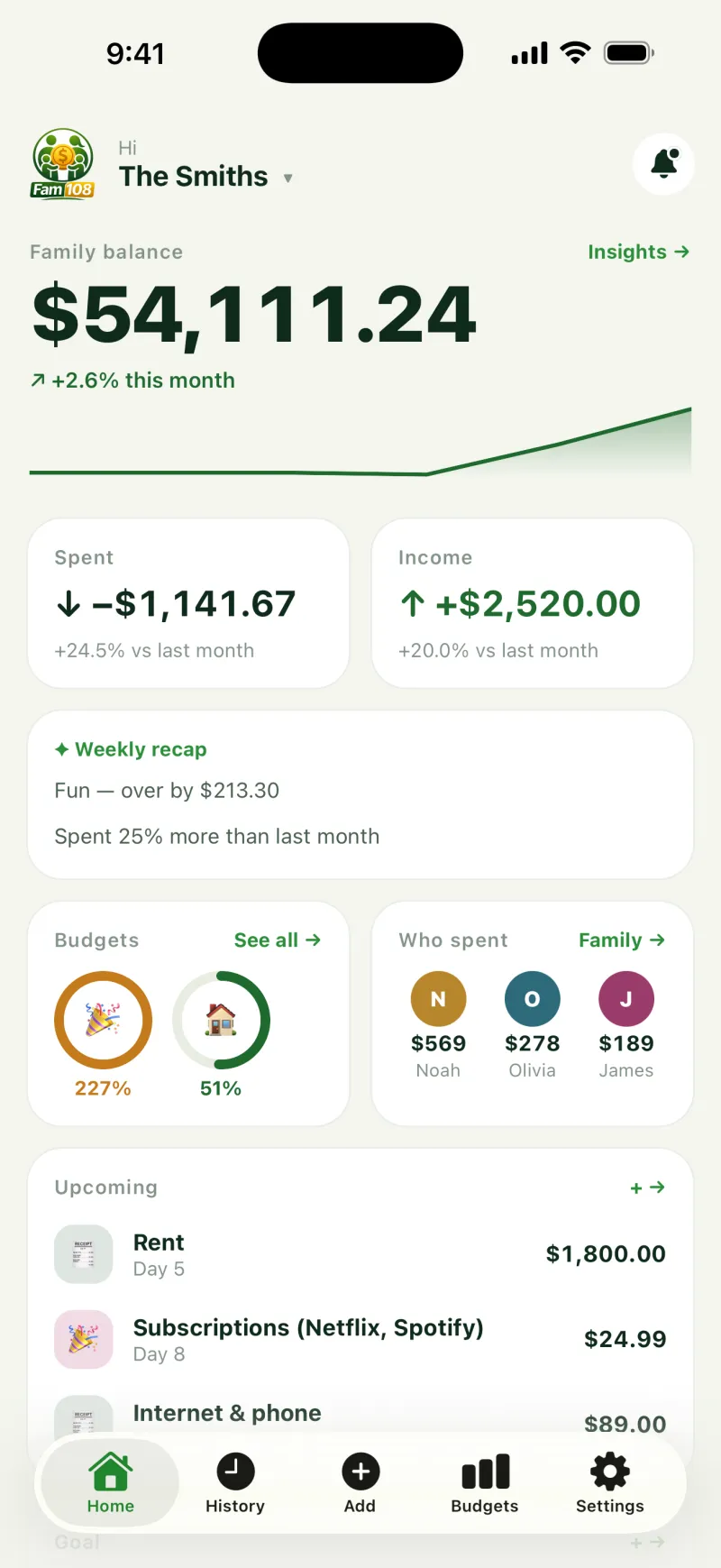
Fam108 is free for two: one shared budget on both phones, budgets by category, who spent how much on the home screen, and private expenses hidden from the rest of the family. With Plus ($3.99 a month or $29.99 a year), a trip or a project can have its own budget.
What Fam108 will not do for you
It does not calculate who owes whom. It shows who paid for what and who spent how much, so the settle-up in step 2 is a sum you do yourselves once a month. And it never connects to your banks: every expense is entered by hand.
Budgeting as a couple: questions and answers
Do we need a joint bank account?
No. A shared budget only needs both of you to see the same plan and the same spending. Many couples keep separate accounts and settle the shared part once a month.
Is a 50/50 split fair?
It is when your incomes are similar. When they are not, a proportional split, where each pays the same share of their income, usually feels fairer. What matters most is that you both agree to it.
What should stay personal?
Whatever you agree on: hobbies, clothes, presents for each other. Keeping some money that nobody has to explain makes the shared budget easier to stick to.
How often should we review the budget?
A short check-in once a month is enough for most couples, plus a quick look together before big purchases.
What if one of us forgets to log expenses?
Make logging as quick as possible: right after paying, it takes a few seconds. In Fam108 the home screen shows who spent how much, so gaps are easy to spot.
Can we use a spreadsheet instead of an app?
Yes. Our free family budget template is a CSV with the same columns as Fam108’s export, ready for Google Sheets or Excel.