Track family expenses together, without linking a bank
Fam108 is a family expense tracker you fill in by hand: everyone adds what they spend from their own phone, and the household sees one budget, split by category, with what is left in each. No bank logins, no ads, no trackers.
Free forever for two · No card · 14 days of Plus included
What tracking looks like day to day
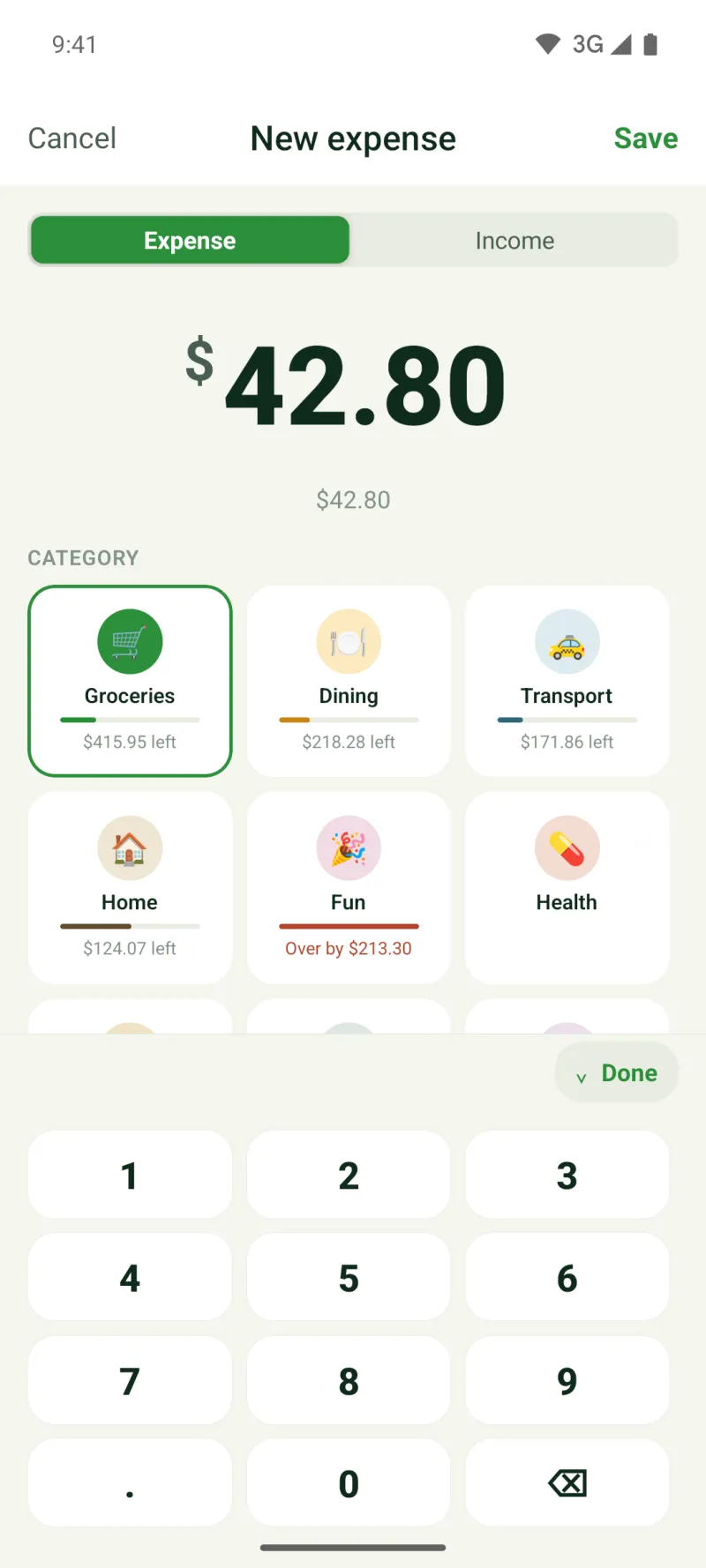
You pay for something, open the app and type the amount. Pick a category and the account you paid from, and the expense is in: about three taps. While you type, every category shows what is left of its monthly budget, so you know before you save whether groceries can take another $40. Income goes in the same way, which is how the home screen can show the month’s spending against what came in.
What you get
- Categories with monthly budgets: nine on the free plan, and on Plus your own categories with your own emoji and colour.
- An account for every card, cash wallet and bank account you pay from; up to three on the free plan.
- Analytics for a month, three months, six months or a year, a weekly summary of what went over budget, and CSV export on every plan.
Example: one month of family spending
A family of four sets monthly budgets of $650 for groceries, $200 for eating out and $150 for transport. Both parents add expenses as they go, and their teenager adds their own from a phone of their own.
By the 18th, groceries are at $430 of $650, transport at $60 of $150, and eating out at $210, which is $10 over. The weekly summary says exactly that: eating out went over budget, by $10. Nobody has to add up receipts at the end of the month; the numbers were there all along, and the CSV export gives the spreadsheet fan in the family the same rows.
Everyone adds their own
Invite the family with a code, a link or a QR code. Each person adds expenses from their own phone, iPhone or Android, or from the web, and the household budget updates for everyone. Roles keep it sensible: the owner and adults see the family’s spending, while a child sees only their own expenses.
Getting the categories right
Start with the categories you already talk about rather than a perfect plan. Groceries, home, eating out and transport cover most households; add more only when an expense has nowhere to go.
Put budgets on a few categories first. A budget you look at is worth more than ten you ignore, and Fam108 shows what is left at the moment you add an expense, which is exactly when it can still change a decision.
Recurring payments such as rent, internet or classes can sit under “Upcoming”, so the month’s fixed costs are visible before they are paid. The free plan holds three recurring payments; Plus has no limit.
What is free and what is Plus
The free plan is a full expense tracker for two members: one space, nine categories with monthly budgets, three accounts, unlimited expenses and income, sync and CSV export, with no ads and no time limit. Plus ($3.99 a month or $29.99 a year) adds weekly budgets, your own categories, receipt photos, more spaces and accounts and up to six members; 14 days of Plus are included, no card needed.
What it does not do
It does not import bank statements or read your card transactions: every expense is entered by hand, on purpose. It does not convert currencies, so each space keeps one currency. And it does not give financial advice: it shows where the money went, and the decisions stay with you.
Family expense tracker: questions and answers
Why enter expenses by hand instead of linking the bank?
Linking a bank means a third party sees every transaction you make. Entering by hand takes about three taps per expense, works with cash and with any bank in any country, and Fam108 never sends your transactions to a bank or reads them from one. With sync on, a copy is kept on the sync server, without end-to-end encryption.
Can it track cash?
Yes. Cash is just another account: add what you spend from it like any other expense, and cash spending shows up in the same budgets and reports as card spending.
How do we see where the money went?
Analytics breaks spending down by category for a month, three months, six months or a year, with a “spent vs. earned” trend. The home screen shows who spent how much this month.
Can I keep some expenses private?
Yes. Mark an expense as private and no one else in the family sees it, on every plan. Private accounts, hidden from the rest of the family, are part of Plus.
Can I get my data out?
Yes, at any time. CSV export works on every plan, and nothing is deleted if you stop paying for Plus: whatever goes beyond the free limits stays visible and exportable, it just becomes read-only.
Does it work for a family with children?
Yes. Give a child the child role: they add their own expenses from their own phone and see only those, while the adults see the family’s budget. The free plan has two members; Plus has up to six.